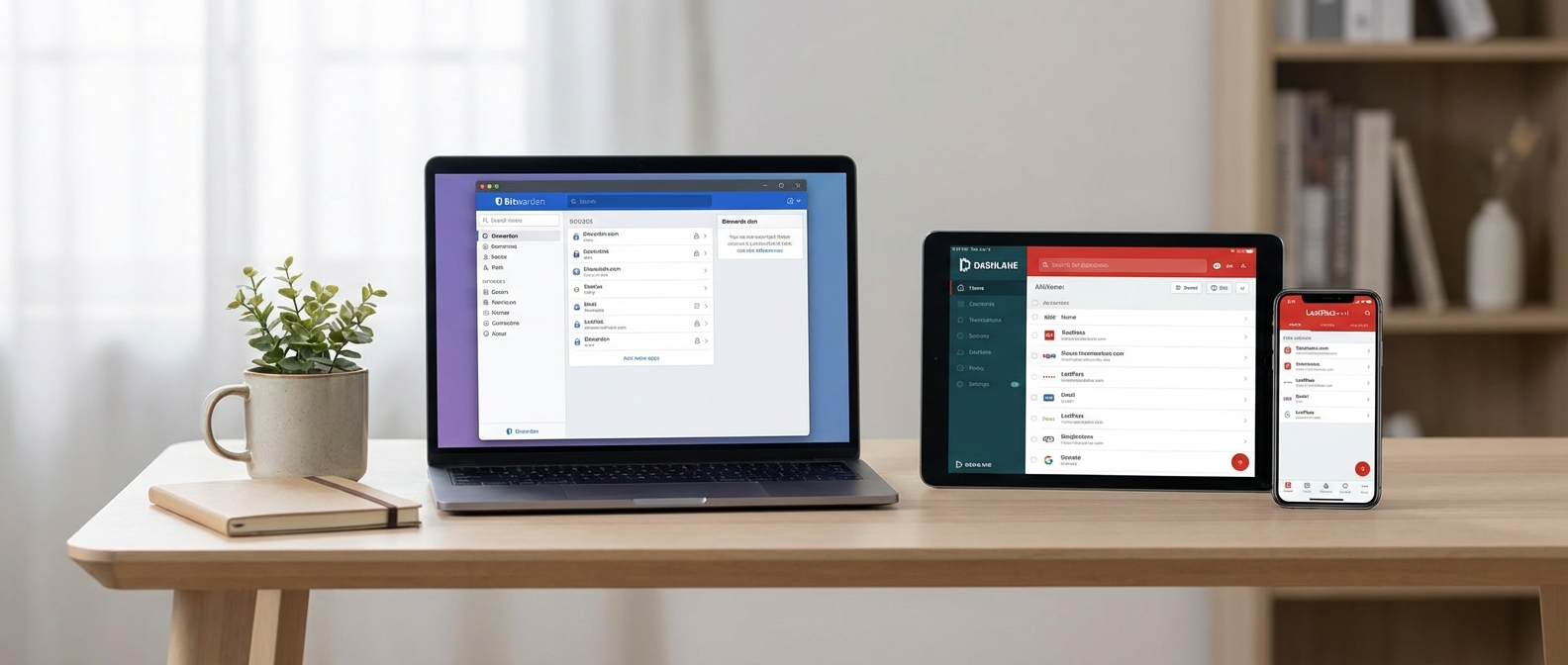
Introduction: Drowning in Passwords? Help is Here (and It’s Free!)
Let’s face it, remembering passwords in the digital age is a nightmare. “Password123” just isn’t going to cut it anymore, and reusing the same password across multiple sites is a recipe for disaster. You know you should be using strong, unique passwords for everything, but the thought of managing them all is enough to make anyone’s head spin. That’s where free password managers come to the rescue!
Thankfully, you don’t have to break the bank to keep your online life secure. There are plenty of excellent free password managers available that offer robust features without costing a single penny. In this blog post, we’ll explore our top 3 picks, highlighting their strengths and weaknesses to help you choose the perfect one for your needs.
Why Use a Password Manager (Even a Free One)?
Before we dive into the specific recommendations, let’s quickly recap why using any password manager is a smart move, especially considering how many data breaches occur daily:
- Strong, Unique Passwords Made Easy: Password managers generate and store complex passwords that you’d never be able to come up with on your own (and definitely wouldn’t remember!).
- Automatic Filling: No more typing passwords manually! Password managers automatically fill in your login credentials on websites and in apps, saving you time and frustration.
- Enhanced Security: They encrypt your passwords, protecting them from hackers. Many also offer features like two-factor authentication for an extra layer of security.
- Organization: Keep all your passwords in one secure and easily accessible place. No more sticky notes or spreadsheets!
- Peace of Mind: Knowing that your accounts are protected with strong, unique passwords can significantly reduce your stress levels.
Investing in a password manager, even a free password manager, is an investment in your digital security. It’s a small step that can make a huge difference in protecting your personal information and preventing identity theft.
Our Top 3 Free Password Managers
Alright, let’s get to the good stuff! Here are our top 3 free password manager recommendations, based on security, usability, features, and overall value:
1. Bitwarden: The Open-Source Powerhouse
Bitwarden is a highly-regarded open-source password manager that consistently receives praise for its security, transparency, and generous free plan. It’s a fantastic option for both beginners and advanced users looking for a robust and reliable solution.
Key Features (Free Plan):
- Unlimited Password Storage: Store as many passwords as you need.
- Cross-Platform Compatibility: Works on Windows, macOS, Linux, iOS, Android, and all major browsers.
- Secure Password Generator: Create strong, unique passwords with ease.
- Two-Factor Authentication (2FA): Add an extra layer of security using authenticator apps like Google Authenticator or Authy.
- Data Breach Monitoring (Have I Been Pwned? Integration): Check if your accounts have been compromised in a data breach.
- Password Sharing: Securely share passwords with trusted individuals (though this is primarily designed for family/organization use, sharing with a single person is possible.)
- Open-Source and Audited: Benefit from the transparency and security of an open-source project that has undergone independent security audits.
- Self-Hosting Option: For the tech-savvy, Bitwarden can be self-hosted, giving you complete control over your data.
Pros:
- Excellent security and encryption.
- Open-source and transparent.
- Very generous free plan with unlimited storage and cross-platform support.
- Easy to use and well-designed interface.
- Supports multiple 2FA options.
Cons:
- The free plan doesn’t include advanced 2FA options like YubiKey support.
- Some users may find the interface slightly less polished than some commercial alternatives.
Who is it for? Bitwarden is an excellent choice for anyone who wants a secure, feature-rich, and free password manager. Its open-source nature and transparent security practices make it a particularly appealing option for privacy-conscious users.
2. LastPass Free: The User-Friendly Option
LastPass is one of the most well-known password managers, and its free plan offers a solid set of features for basic password management. It’s known for its user-friendly interface and ease of use, making it a great choice for beginners.
Key Features (Free Plan):
- Unlimited Password Storage: Store as many passwords as you need.
- Cross-Platform Syncing: Access your passwords on all your devices (mobile or computer, but not both).
- Password Generator: Create strong, unique passwords.
- Automatic Password Filling: Automatically fill in your login credentials.
- Security Dashboard: Get an overview of your password security and identify weak or reused passwords.
- One-to-One Sharing: Share passwords with one other user.
Pros:
- Very user-friendly interface.
- Easy to set up and use.
- Good basic features for password management.
Cons:
- The free plan limits you to either mobile OR computer device access, not both. This is a significant limitation.
- Less transparent about its security practices than Bitwarden.
- Has had security vulnerabilities in the past (though they have been addressed).
- Free version has limited customer support.
Who is it for? LastPass Free is a decent option for users who prioritize ease of use and are willing to live with the limitation of choosing either mobile or computer access. However, given the restrictions on the free plan and past security concerns, Bitwarden might be a better choice for most users. Be sure to carefully weigh the pros and cons before committing.
3. Keeper: Security-Focused with a Limited Free Plan
Keeper is a security-focused password manager that offers a strong set of features. However, its free plan is quite limited compared to Bitwarden and LastPass, offering only a 30-day free trial. After the trial ends, the functionality is severely restricted.
Key Features (Free Trial – 30 Days):
- Unlimited Password Storage: Store as many passwords as you need (during the trial).
- Cross-Platform Compatibility: Works on all major devices and browsers (during the trial).
- Password Generator: Create strong, unique passwords (during the trial).
- Automatic Password Filling: Automatically fill in your login credentials (during the trial).
- Security Audit: Identify weak and reused passwords (during the trial).
- Secure Messaging: Send encrypted messages to other Keeper users (requires paid subscription).
Pros:
- Strong security features and encryption.
- User-friendly interface.
- Offers a wide range of features in the paid version.
Cons:
- The free plan is extremely limited to a 30-day trial. After the trial, the free version essentially becomes unusable.
- Relatively expensive compared to other password managers.
- The free trial is quite restrictive and doesn’t allow you to fully evaluate the service before committing to a paid plan.
Who is it for? Keeper is not recommended as a long-term free password manager solution due to the very limited free trial. While the paid version offers excellent features, it’s more expensive than other options. It’s worth considering if you’re willing to pay for a premium password manager with advanced security features, but for budget-conscious users, Bitwarden is a better choice.
Tips for Choosing the Right Free Password Manager
Choosing the right free password managers can be challenging. Here are some factors to consider:
- Security: Look for a password manager with strong encryption and a good security track record. Research if the company has had breaches or security issues in the past.
- Features: Consider the features that are important to you, such as cross-platform compatibility, password generator, two-factor authentication, and data breach monitoring.
- Usability: Choose a password manager that is easy to use and has a user-friendly interface. A complex password manager can be a deterrent.
- Platform Compatibility: Ensure the password manager works on all the devices and browsers you use.
- Open Source: Consider an open-source solution like Bitwarden for transparency and community-driven security.
- Customer Support: Check the availability and quality of customer support, especially if you’re not tech-savvy.
- Future Cost: If the “free” manager has significant limitations, consider how those limitations will impact you long-term. It might be better to pick a slightly less-featured free manager that allows for unlimited access, or be prepared to pay for the premium version.
Making the Switch: A Seamless Transition
Switching to a password manager can seem daunting, but it’s easier than you think. Most password managers offer tools to import your existing passwords from browsers or other password managers. Here’s a general outline:
- Choose your password manager: Select the password manager that best suits your needs (we recommend Bitwarden for most users).
- Install the browser extension and/or app: Download and install the browser extension and/or app for your chosen password manager.
- Import your passwords: Follow the instructions provided by your password manager to import your passwords from your browser or other password manager. This usually involves exporting your passwords as a CSV file and then importing it into your new password manager.
- Start using your password manager: As you visit websites, your password manager will automatically fill in your login credentials. If you create a new account, the password manager will generate a strong password and save it for you.
- Enable two-factor authentication: Add an extra layer of security by enabling two-factor authentication on your password manager and your most important accounts.
- Audit your passwords: Use the password manager’s security audit feature to identify weak and reused passwords. Change them to strong, unique passwords generated by the password manager.
Remember to take your time and be patient. It may take a little while to get used to using a password manager, but the benefits in terms of security and convenience are well worth the effort.
Conclusion: Secure Your Digital Life Today!
In conclusion, using a free password manager is a crucial step in securing your online accounts and protecting your personal information. While Keeper might have interesting features in its paid plan, its free version is too limited to recommend. LastPass Free offers decent features, but the restriction on either mobile or computer access is a major drawback. Therefore, we highly recommend Bitwarden for its excellent security, generous free plan, open-source nature, and cross-platform compatibility.
Don’t wait until you’re a victim of a data breach. Take control of your online security today by choosing a free password manager and implementing strong, unique passwords for all your accounts. It’s a simple step that can make a world of difference!