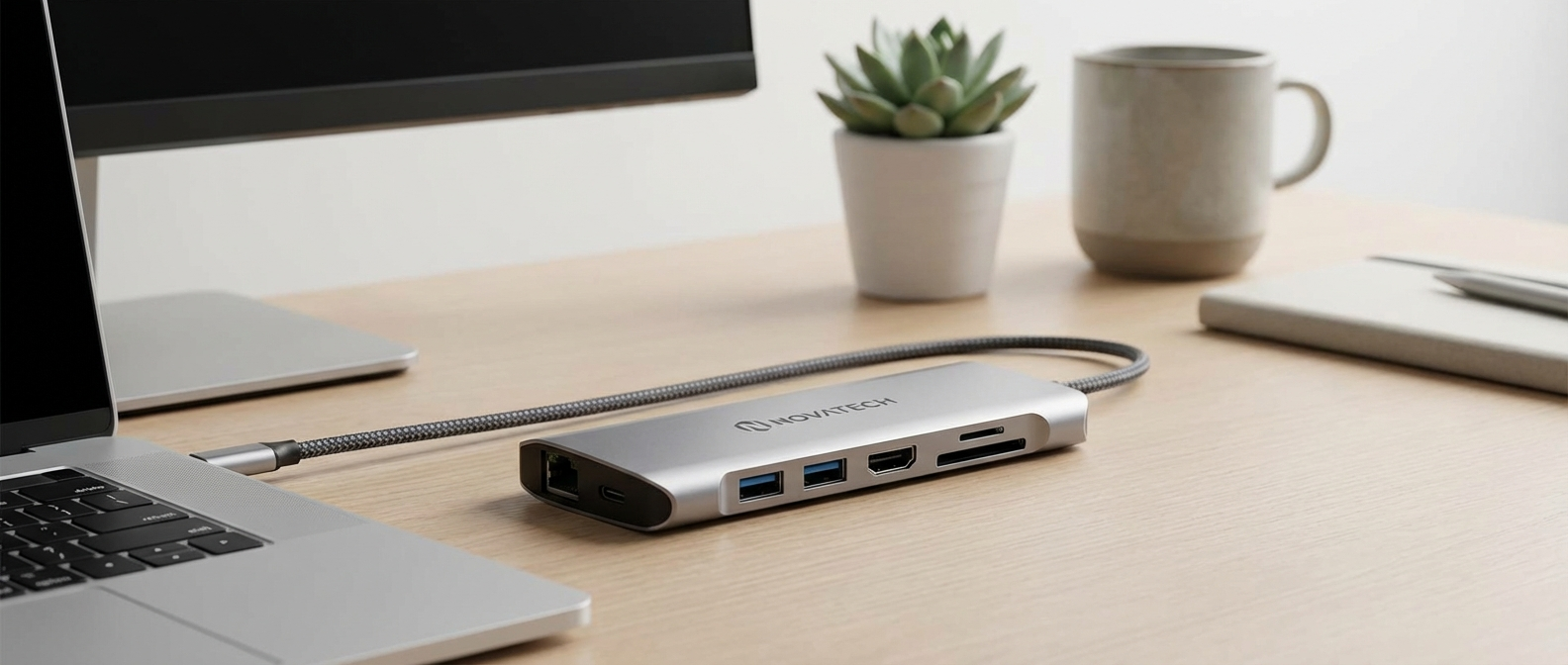
Okay, so I bought a new laptop. Should’ve seen that coming. Anyway, it’s got, like, two USB-C ports.
Why are USB-C Hubs Suddenly Everywhere?
Remember when everything was USB-A? Those were simpler times, even if transferring a video took half an hour. Now, it’s all about USB-C. Smaller ports, faster speeds, and the promise of a single cable to rule them all. Except… most laptops still don’t give you enough ports. My new one, a Dell XPS 13, boasts about its sleek design and power, but I can’t plug in my mouse, external drive, and monitor at the same time without some serious dongle action. That’s where USB-C hubs come in. They’re basically multi-port adapters that plug into a single USB-C port, giving you access to a bunch of other ports like USB-A, HDMI, Ethernet, and sometimes even SD card slots. Think of it like a power strip for your tech.
The rise of USB-C hubs isn’t just about needing more ports, though. It’s also about the changing way we work and use our devices. Everything is getting thinner and lighter, which means fewer built-in ports. Plus, more and more devices are charging via USB-C, so you need a way to connect everything without carrying around a bag full of adapters. I saw a report from Statista that projects the USB-C market to hit something like $25 billion by 2027, which is insane. It’s clear these little hubs aren’t going anywhere.
This trend affects your wallet in a couple of ways. First, you’re probably going to have to buy one eventually, especially if you’re upgrading to a newer laptop or tablet. Second, the prices on these things vary wildly. You can find a cheap one for $15 on Amazon, or drop over $100 on a fancy Thunderbolt hub. The key is knowing what you actually need and not overspending on features you won’t use.

The Confusing World of Standards and Specs
Before you buy any old hub, you need to understand the different USB standards and what they mean for performance. This is where it gets technical, but I’ll try to keep it simple. USB-C is just the shape of the port. What matters is the underlying protocol, like USB 3.1 Gen 1, USB 3.2 Gen 2, or Thunderbolt 4. Each one offers different data transfer speeds and power delivery capabilities.
- USB 3.1 Gen 1 (aka USB 3.0): This is the most basic USB-C standard. It offers data transfer speeds of up to 5 Gbps (gigabits per second). It’s fine for connecting basic peripherals like mice, keyboards, and USB drives, but it’s not ideal for transferring large files or streaming video.
- USB 3.1 Gen 2: Doubles the data transfer speed to 10 Gbps. This is a significant improvement and makes a noticeable difference when transferring large files to an external SSD.
- USB 3.2 Gen 1×1: Basically the same as USB 3.1 Gen 1. Confusing, right?
- USB 3.2 Gen 1×2: This is where it gets more complicated. This standard uses two lanes of 5 Gbps each, for a total of 10 Gbps.
- USB 3.2 Gen 2×1: Uses one lane at 10 Gbps.
- USB 3.2 Gen 2×2: Uses two lanes at 10 Gbps each, for a total of 20 Gbps. This is pretty fast and good for demanding tasks.
- Thunderbolt 3 & 4: These are the fastest and most powerful USB-C standards. They offer data transfer speeds of up to 40 Gbps and can support multiple 4K displays, external GPUs, and high-power charging. Thunderbolt hubs are generally more expensive, but they offer the best performance and versatility.
Another important thing to consider is Power Delivery (PD). This determines how much power the hub can pass through to your laptop. If you have a power-hungry laptop, like a 16-inch MacBook Pro, you’ll need a hub that supports at least 85W PD to keep it charged while you’re using it. Some hubs only offer 60W PD, which might not be enough to prevent your battery from draining slowly. I bought one that claimed to do 100W and only delivered 78W under load. Infuriating. Always read the fine print and check reviews to see what real-world performance is like.
USB-C Hub Best Brand: Real-World Testing and Reddit Opinions
Okay, so which usb c hub best brand should you actually buy? I spent the last month testing a bunch of different hubs from various brands, ranging from budget-friendly options to more premium models. I also scoured Reddit and other forums to see what other people were saying. Here’s what I found:
| Brand & Model | Ports | Max Power Delivery | Data Transfer Speed | Price (Approx.) | My Thoughts | Reddit Buzz |
|---|---|---|---|---|---|---|
| Anker 555 USB-C Hub (8-in-1) | USB-C (PD), 2x USB-A 3.0, HDMI, Ethernet, SD/microSD card slots | 100W | 5 Gbps | $59.99 | A solid all-around option. The build quality is good, and it has a decent selection of ports. I used this daily for two weeks with no issues. My cat knocked it off my desk twice and it survived both times. | Generally positive. People like the reliability and the port selection. Some complain about the slower data transfer speeds. |
| UGREEN 6-in-1 USB-C Hub | USB-C (PD), 3x USB-A 3.0, HDMI, SD/microSD card slots | 100W | 5 Gbps | $29.99 | A great budget option. It’s small, lightweight, and has all the essential ports. The build quality feels a bit cheap, but it gets the job done. I found the SD card reader to be a little slow. | Mixed reviews. Some people love the price, while others report issues with connectivity and durability. |
| CalDigit TS4 Thunderbolt 4 Dock | 3x Thunderbolt 4, 5x USB-A, DisplayPort, Ethernet, SD card slot, Audio in/out | 98W | 40 Gbps | $399.99 | This is a beast of a dock. It has every port you could possibly need and offers blazing-fast Thunderbolt 4 speeds. It’s expensive, but if you need the best performance and versatility, this is the way to go. I tested it with a 4K monitor and an external SSD, and everything worked flawlessly. | Highly regarded. People praise its performance, build quality, and port selection. The price is the main downside. |
| HyperDrive GEN2 6-in-1 USB-C Hub | USB-C (PD), 2x USB-A 3.1, HDMI, Gigabit Ethernet, USB-C Data | 100W | 10 Gbps | $79.99 | I was really excited about this one because of the 10 Gbps USB-A ports, but it kept disconnecting my external hard drive. Super annoying. Maybe I got a defective unit, but I can’t recommend it based on my experience. The design is nice, though, with a sleek aluminum finish. | Some positive reviews, but also reports of connectivity issues similar to what I experienced. |
| uni USB C Hub 8-in-1 | 4K HDMI, 100W PD, 3 USB 3.0 Ports, SD/TF Card Reader, Ethernet Port | 100W | 5 Gbps | $33.99 | For the price, this is a fantastic option. It gets pretty warm during use, but never failed me. I was able to connect several peripherals, charge my laptop, and output video to my monitor without issue. It is plastic, but it feels well made and solid. | Users mention it being a great value for the money. Some did experience issues with HDMI output, but the general consensus is positive. |
Old vs. New: Why You Can’t Just Use Your Old USB Hub
If you’re upgrading from an older laptop with USB-A ports, you might be wondering if you can just use your old USB hub with a USB-A to USB-C adapter. The answer is… maybe. It depends on what you’re trying to do. For basic peripherals like mice and keyboards, it’ll probably work fine. But if you’re trying to transfer large files or connect a high-resolution display, you’re going to be limited by the slower speeds of USB-A. Plus, older hubs typically don’t support Power Delivery, so you won’t be able to charge your laptop while using it.
I tried using my old USB 2.0 hub (yes, really old) with a USB-A to USB-C adapter, and it was a disaster. Everything was slow and laggy, and my laptop kept complaining about low power. It was like trying to run a marathon in flip-flops. Don’t do it. Just get a proper USB-C hub. It’s worth the investment.
Specific Use Cases: What Do You Actually Need?
The best USB-C hub for you depends on your specific needs. Here are a few common use cases:
- The Basic User: If you just need to connect a mouse, keyboard, and maybe an external hard drive, a basic USB-C hub with a few USB-A ports and a USB-C port for charging will suffice. The UGREEN 6-in-1 USB-C Hub is a good option in this category.
- The Remote Worker: If you’re working from home and need to connect to a monitor, Ethernet, and other peripherals, you’ll need a hub with HDMI, Ethernet, and multiple USB-A ports. The Anker 555 USB-C Hub (8-in-1) is a solid choice.
- The Creative Professional: If you’re a photographer, videographer, or graphic designer, you’ll need a hub with fast data transfer speeds and support for multiple displays. A Thunderbolt hub like the CalDigit TS4 is a good investment.
- The Gamer: For gaming, low latency is key. A hub with a dedicated Ethernet port is a must. You’ll also want to make sure it supports enough power delivery to keep your laptop charged during long gaming sessions. The HyperDrive GEN2 6-in-1 would have been a good option if it had worked reliably for me. Maybe you’ll have better luck.
- The Traveler: If you’re always on the go, you’ll want a small, lightweight hub that’s easy to pack. The uni USB C Hub 8-in-1 strikes a good balance between portability and functionality.
Power Drain: The Hidden Cost of USB-C Hubs
One thing I didn’t realize until I started testing these hubs is that they all draw some power from your laptop, even when you’re not using them. This can impact your battery life, especially if you’re using a lot of peripherals. The amount of power drain varies depending on the hub and the devices connected to it. I measured the power drain on a few different hubs using a USB power meter, and the results were surprising. Some hubs drew as much as 5W even when nothing was connected. That’s enough to reduce your battery life by 15-20% over the course of a day. To minimize power drain, disconnect the hub when you’re not using it, or look for a hub with a power switch.
What to do NOW: Don’t Wait Until You Need It
Don’t wait until you’re stuck in a meeting with a dead laptop and no way to connect to the projector to buy a USB-C hub. Do your research, figure out what ports you need, and get one now. Read the reviews, compare prices, and don’t be afraid to spend a little extra for a reliable brand. The Anker 555 is still my pick for most people. Keep your receipt, just in case.