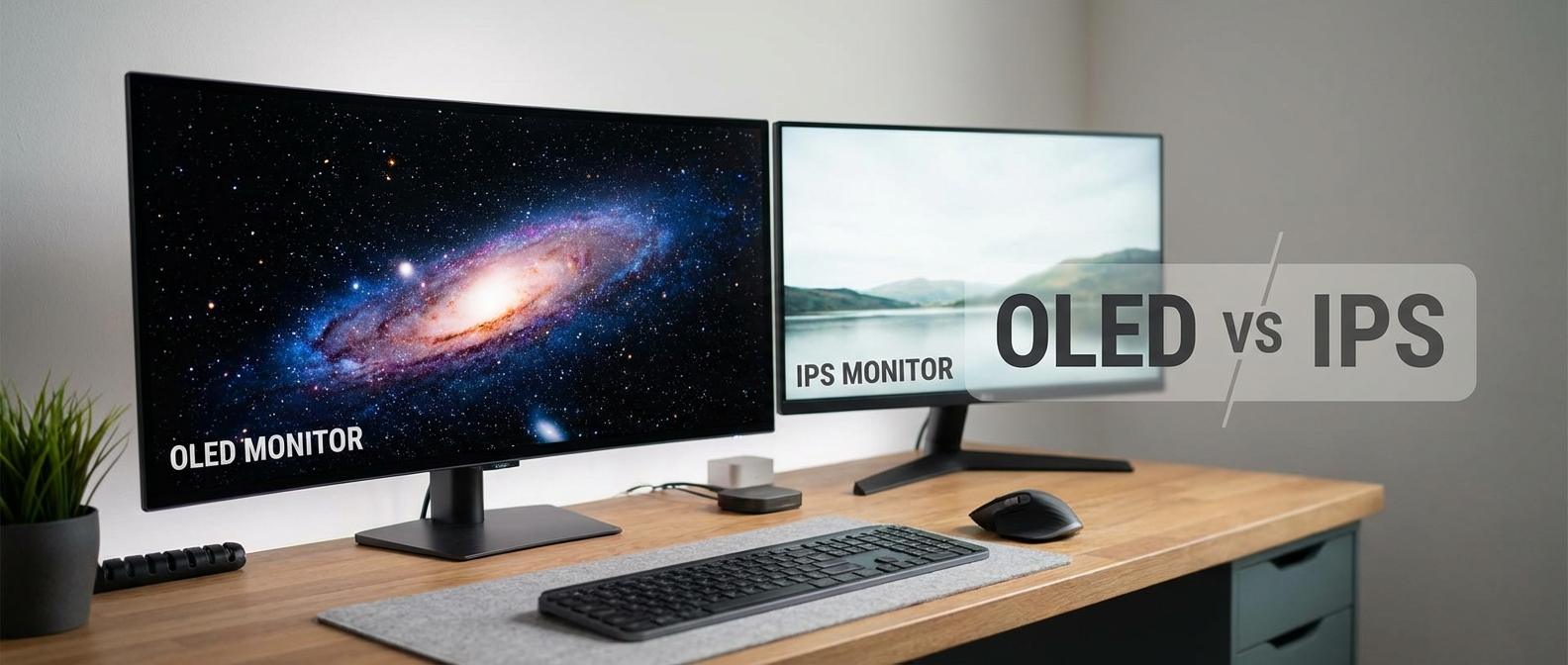
So, I finally upgraded my monitor. My old one was…old. Like, 2015 old. I went down the rabbit hole of oled vs ips monitor tech, and it turns out things have changed a lot since I last paid attention.
I ended up buying both an OLED and an IPS panel to test. Here’s what I found.
OLED vs. IPS: What’s the Difference Anyway?
Okay, real basic stuff first. IPS (In-Plane Switching) is a type of LCD (Liquid Crystal Display) panel. LCDs use a backlight to shine light through liquid crystals, which twist and untwist to create the image. IPS panels are known for their good color accuracy and wide viewing angles. That means the picture doesn’t get all weird if you’re not looking at it straight on. Good if you have friends over.
OLED (Organic Light Emitting Diode) is different. Instead of needing a backlight, each pixel in an OLED display emits its own light. This means perfect blacks because the pixel can just turn off completely. It also means super high contrast ratios, since the bright parts can be really bright right next to the dark parts. My cat, Mr. Buttons, seems particularly fascinated by bright things on dark backgrounds. This might be an OLED problem I hadn’t considered.
The Contenders: Gigabyte AORUS FO32U2P (OLED) vs. ASUS ROG Swift PG32QDM (IPS)
I decided to pit the Gigabyte AORUS FO32U2P OLED against the ASUS ROG Swift PG32QDM IPS. Both are 32-inch, 4K, high refresh rate monitors – the sweet spot for gaming, in my book. Why these two? They were both available, around the same price point (we’ll get to that), and had pretty solid reviews. Also, the AORUS has a weird name that I can make fun of.
First Impressions
Unboxing the AORUS was a bit of an ordeal. The box is HUGE. Like, takes-up-half-my-living-room huge. The stand was easy to assemble, thankfully. The screen itself is incredibly thin, which is cool, but also makes me nervous about breaking it. I accidentally bumped it with my elbow while setting it up and nearly had a heart attack.
The ASUS, on the other hand, was a much more manageable unboxing experience. The stand is a little clunkier-looking, but feels sturdier. And I didn’t nearly break the screen, so that’s a win. The build quality on both feels good overall, though. No creaky plastic or anything like that.
Spec Showdown
| Feature | Gigabyte AORUS FO32U2P (OLED) | ASUS ROG Swift PG32QDM (IPS) |
|---|---|---|
| Panel Type | OLED | IPS |
| Resolution | 3840×2160 (4K) | 3840×2160 (4K) |
| Refresh Rate | 240Hz (OC 280Hz) | 240Hz |
| Response Time | 0.03ms (GTG) | 1ms (GTG) |
| HDR | HDR400 True Black | DisplayHDR 600 |
| Typical Brightness | 250 nits (SDR), 450 nits (HDR Peak) | 400 nits (SDR), 600 nits (HDR Peak) |
| Contrast Ratio | 1,500,000:1 | 1,000:1 |
| Connectivity | 2x HDMI 2.1, 1x DisplayPort 1.4, USB-C with DP Alt Mode, USB Hub | 2x HDMI 2.1, 1x DisplayPort 1.4, USB Hub |
| G-Sync/FreeSync | G-Sync Compatible | G-Sync Compatible |
| Price (Approx.) | $1299 | $799 |
Gaming Tests: Can You See the Difference?
This is the important part, right? I fired up a bunch of games to see how these monitors performed. I ran everything on my rig with an RTX 4080, so I could actually push those high refresh rates at 4K.
Cyberpunk 2077
First up, Cyberpunk 2077. This game is gorgeous, and it really shows off the strengths of OLED. The blacks in the nighttime cityscapes were just… wow. Seriously, it was like looking into a void. The contrast between the neon lights and the dark alleys was incredible. The AORUS OLED felt more immersive. I could see details I hadn’t noticed before, like the grime on the walls and the reflections in the puddles. I almost forgot I was supposed to be testing a monitor and just started playing. That probably says something. My FPS was hovering around 70-80 with maxed-out settings (no path tracing, though, my 4080 isn’t that good).
The ASUS IPS looked good, too, don’t get me wrong. But the blacks weren’t nearly as deep, and the colors didn’t pop as much. It felt a bit… flatter. The frame rate was basically identical on both, which is what I expected.
Valorant
Next, I switched to Valorant. This is a fast-paced competitive shooter where response time is king. Both monitors felt incredibly responsive, honestly. The 240Hz refresh rate is smooth as butter, and I didn’t notice any ghosting or motion blur on either one. The AORUS OLED technically has a faster response time (0.03ms vs. 1ms), but I couldn’t tell the difference in real-world gameplay. Maybe a pro gamer with superhuman reflexes could, but not me.
One thing I did notice is that the ASUS IPS was a bit brighter. In some of the brighter maps, like Ascent, the extra brightness helped with visibility. The OLED can get plenty bright, but the IPS just had a bit more headroom.
Elden Ring
Elden Ring was my final test. The vast open world and varied environments are perfect for testing color accuracy and contrast. The AORUS OLED again impressed with its deep blacks and vibrant colors. The fiery reds of Caelid looked particularly striking. The ASUS IPS did a decent job, but the colors felt a bit more muted. I swear I could almost taste the rot on the OLED screen. That’s probably not a good thing, actually.
I spent a solid four hours fighting Malenia (again) on both monitors. Still couldn’t beat her, but the game looked great while I was failing.
The Burn-In Question
Okay, let’s talk about the elephant in the room: burn-in. This is the big concern with OLED panels. If you display the same static image on the screen for too long, it can leave a permanent ghost image. Think of the health bar in an MMO, or the taskbar in Windows.
Both the AORUS OLED and the ASUS IPS have built-in burn-in mitigation features, like pixel shifting and screen savers. The AORUS also has a feature called “OLED Care” that runs a pixel refresh cycle after a certain amount of usage. I haven’t had either monitor long enough to experience burn-in myself, and I hope I never do. But it’s something to keep in mind, especially if you tend to leave your computer on with static images on the screen.
Gigabyte provides a three-year warranty that covers burn-in. So, that does provide some peace of mind. ASUS does not.
What Else Do You Get?
The AORUS OLED has a few extra features that the ASUS IPS doesn’t. It has a built-in KVM switch, which allows you to control two computers with a single keyboard and mouse. This is actually pretty useful for me, since I have a desktop and a laptop that I use regularly. It also has a built-in ESS Sabre HiFi DAC, which is supposed to improve the audio quality. I honestly couldn’t tell much of a difference compared to my regular headphones, but maybe I just have bad ears.
The ASUS IPS has a few tricks of its own. It has a built-in GamePlus overlay, which provides things like a crosshair, a timer, and an FPS counter. Some people might find this helpful, but I usually just turn it off. It also has ASUS Aura Sync lighting, which allows you to synchronize the monitor’s RGB lighting with other ASUS components. I’m not a huge fan of RGB, so I didn’t really mess with this much.
Price Breakdown (and Ouch!)
Here’s where things get interesting. The ASUS ROG Swift PG32QDM is around $799. That’s a pretty reasonable price for a high-end 4K gaming monitor. The Gigabyte AORUS FO32U2P, on the other hand, is around $1299. That’s a significant price difference. Like, I-could-buy-a-whole-new-GPU-with-that-money significant. Is the OLED worth the extra cash? That’s the million-dollar question (or, you know, the five-hundred-dollar question).
The Verdict: Which One Should You Buy?
Okay, time for the tough decisions. Let’s break it down by use case:
- For Single-Player Games with Rich Visuals: The AORUS OLED wins, hands down. The incredible contrast and vibrant colors make games like Cyberpunk 2077 and Elden Ring look absolutely stunning. If you want the best possible visual experience, and you’re not too worried about burn-in, the OLED is the way to go.
- For Competitive Gaming: It’s a tie. Both monitors have a 240Hz refresh rate and low response times, which are the most important factors for competitive gaming. The ASUS IPS might have a slight edge in brighter environments due to its higher peak brightness, but the difference is minimal. Save your money and go with the IPS.
- For Mixed Usage (Gaming, Productivity, Watching Movies): The ASUS IPS is the better choice. It’s more versatile and less prone to burn-in. It’s also a lot cheaper, which makes it a better all-around value.
- If You’re Super Rich and Don’t Care About Money: Get both. Seriously, why not?
Alternatives to Consider
There are other options out there, of course. If you’re looking for a cheaper IPS option, the LG 32GN600-B is a solid choice. It’s a 32-inch, 1440p, 165Hz monitor that can often be found for around $300. It’s not as fancy as the ASUS ROG Swift PG32QDM, but it’s a great value for the money. I tested this one last year and it’s been my backup ever since. The colors aren’t as good, but for everyday tasks and less demanding games, it gets the job done.
On the OLED side, the Samsung Odyssey OLED G8 is another popular option. It’s a 34-inch ultrawide monitor with a 175Hz refresh rate. It’s more expensive than the Gigabyte AORUS FO32U2P, but some people prefer the ultrawide form factor. I haven’t personally used it, but I’ve heard good things.
Final Thoughts
Look, oled vs ips monitor tech is a complicated thing. OLED is amazing, but it’s also expensive and has the potential for burn-in. IPS is more affordable and versatile, but it doesn’t have the same visual punch. For me, the ASUS IPS is the better choice overall. The picture is great, it’s fast enough for competitive gaming, and I don’t have to worry about babying it. That extra $500 I saved is going towards a new SSD.
Do some research, think about how you’re actually going to use the monitor, and don’t let marketing hype sway you. And maybe don’t let your cat near your new expensive OLED screen. Just a thought.