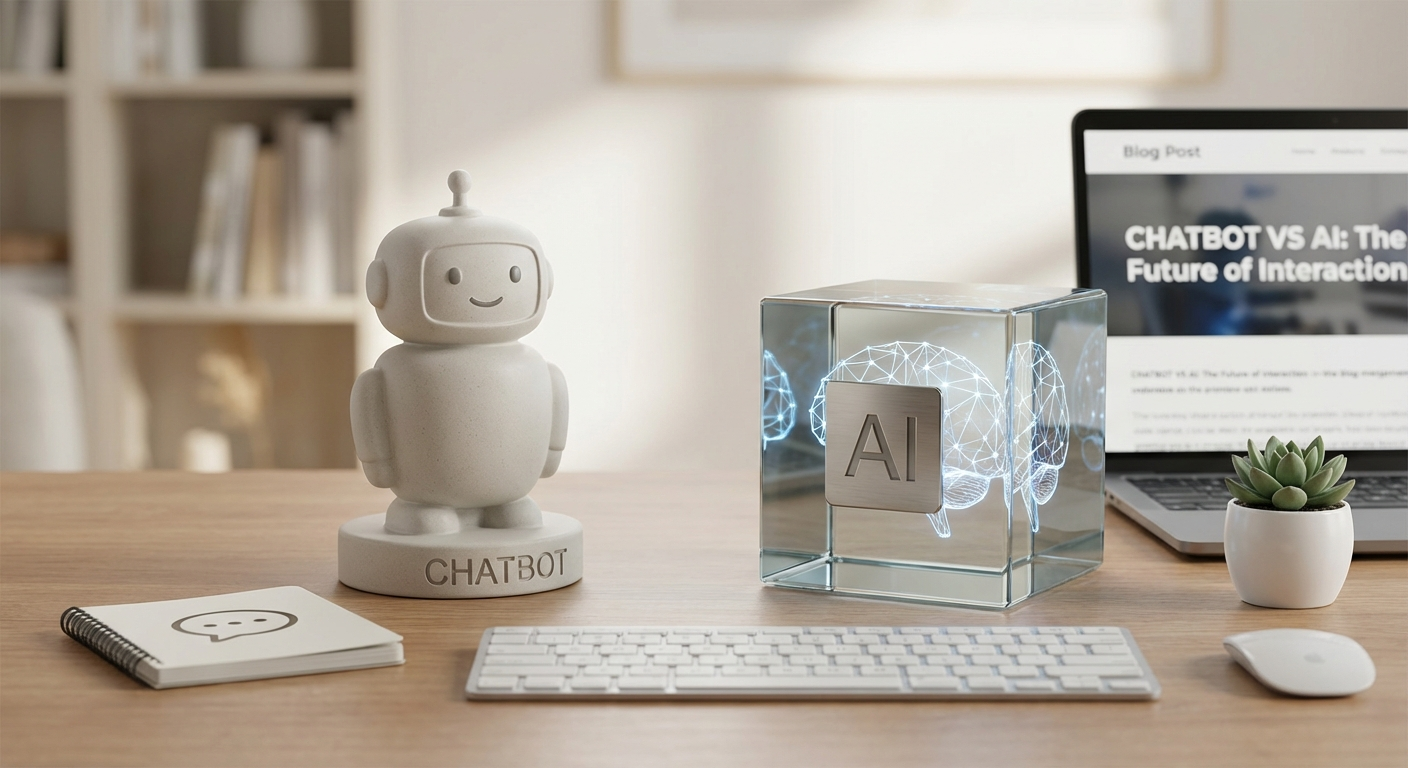
AI Chatbot vs. AI: Understanding the Difference in 2026
So, everyone’s throwing around “AI” and “chatbot” like they’re the same thing these days. You see it in headlines, in product descriptions, and half the time, even the people talking about it sound confused. It’s not just big tech stuff either; this confusion pops up even with the cheap gadgets I test for this blog. Knowing what’s what can save you a headache and help you spend your money smarter.
Why This Even Matters (and What It Means for Your Cheap Tech)
Look, if a budget phone advertises “AI-powered camera” and all it does is slap a generic filter on your photos, that’s not exactly what people think of when they hear “AI.” On the flip side, if a smart speaker for under $40 actually learns your routines and adjusts the lights before you get home, that’s a different story. The difference between “chatbot” and “AI” isn’t just semantics for tech nerds. It helps you figure out if a feature is actually intelligent, or just a glorified script. It’s about knowing if you’re getting a genuinely smart thing or just something that sounds cool on the box.
Getting Started: What You Need to Know First
Before we dive into how these things work, let’s get a couple of basics straight. You don’t need any fancy gear for this. Most of what we’re talking about can be done from your phone or a basic laptop.
* Prerequisites:
* A device with internet access (smartphone, tablet, laptop, desktop).
* A web browser.
* Maybe a free account for a major AI platform like Google or OpenAI if you don’t already have one (we’ll mostly use web interfaces).
* About 20-30 minutes for the initial setup and exploration for each example we’ll look at. Don’t rush it. Take your time to really mess around with each tool.
We’re not building anything complicated here. We’re just going to interact with some examples to see the distinction firsthand. It’s like comparing a remote control (the chatbot) to the TV itself (the broader AI system).

Step 1: The Chatbot Experience – Talking to a Specific Program
Step 1: Fire Up a Dedicated Chatbot
Alright, let’s start with the most obvious one. A chatbot. Think of a chatbot as a specific computer program designed to simulate human conversation. Its job is to talk to you, answer questions, or follow simple commands, all within a chat interface. It’s pretty focused on that one thing: chatting.
For this step, grab your device and open a web browser. We’re going to use ChatGPT, or something similar like Google’s Bard if you prefer. Both have free tiers that are more than enough for what we need. Just go to their website, sign up if you haven’t already (it’s usually just an email and password), and you’ll be dropped into a chat window.
Now, let’s test it out. Type in some stuff.
* Ask it a factual question: “What’s the capital of Madagascar?”
* Ask it to summarize something: Copy and paste a short news article (maybe 3-4 paragraphs) and say, “Summarize this for me in two sentences.”
* Ask it to write a short email: “Write a polite email to my landlord asking if I can pay rent two days late this month.”
Notice how it responds. It’s a back-and-forth conversation. It’s trying to understand your text and generate a relevant, human-like response. The magic here isn’t just that it responds, but that it responds in a way that makes sense and feels conversational. It’s using what’s called Natural Language Processing (NLP) to do this, which is a big part of the AI field, but the whole package you’re interacting with – the chat window, the turn-taking – that’s the chatbot.
I spent an hour trying to get a refund for that GoPro knockoff that died in two days. The customer service chatbot on their website kept telling me to check the user manual. The manual was a folded piece of paper with three sentences in broken English. It was a loop, an endless, frustrating loop of pre-programmed answers. That’s a perfect example of a basic, frustrating chatbot experience. It’s not intelligent in the broader sense; it’s just following a very narrow script.
What can go wrong:
The chatbot might give generic answers. Sometimes it will say “I can’t help with that” or completely misunderstand your intent. For example, if you ask a customer service bot a complex question outside its narrow programming, it will just cycle back to FAQs. I’ve seen them just repeat the same two sentences over and over, which is genuinely annoying. Or, the AI behind the chatbot might “hallucinate” and give you confidently wrong information.
How to fix it:
Rephrase your question. Be more specific. If you’re talking to a customer service bot, try asking about a specific policy number or service rather than a general complaint. Break down complex questions into simpler parts. If it’s a general-purpose AI chatbot like ChatGPT, try giving it more context or telling it what role to adopt (e.g., “Act as a financial advisor and explain…”). Sometimes, just hitting the “regenerate response” button helps, too. For those really bad customer service ones, sometimes saying “speak to an agent” or “human” repeatedly will eventually break you out of the loop. It’s not elegant, but it works.
Step 2: Exploring “AI” in Broader Contexts – Beyond Just Chat
Step 2: Test Out AI-Powered Features in Everyday Apps
Now, let’s look at “AI” in its broader sense. This is the big picture. AI, or Artificial Intelligence, is a massive field of computer science. It’s about building machines that can do things that usually require human intelligence. This includes learning, reasoning, problem-solving, understanding language (like our chatbot from before), perceiving things (like images or sounds), and making decisions.
Crucially, most AI you interact with doesn’t involve a chat window. It’s often working silently in the background, making things better, faster, or smarter without you even knowing it.
Let’s look at some examples you probably already use:
Photo editing AI: Open up Google Photos on your phone. Find an old picture where someone is slightly out of frame or there’s a distracting object in the background. Tap “Edit,” then look for tools like “Magic Eraser” or “Portrait Light.” With Magic Eraser, you can literally draw a circle around something you want gone, and the AI tries to remove it and fill in the background seamlessly. Portrait Light lets you adjust the lighting on a person’s face after* the photo was taken. You’re not chatting with it; you’re just using a smart tool that leverages AI to understand the image and make changes. There’s no back-and-forth conversation, just a powerful, intelligent function. My cat, Mittens, loves knocking things off my desk. She did it to my Redmi 12C twice last week. Both times, it survived. The AI spam filter on that phone? It didn’t stop a single spam call, but it was great at identifying scam texts about winning a lottery I never entered. That’s a different kind of AI at work, a classification AI that flags unwanted messages. It’s working silently in the background, constantly learning and adapting.
Recommendation algorithms: Open YouTube or Spotify. Just scroll for a bit. Notice how the videos or songs it suggests are usually pretty close to what you’ve watched or listened to recently? That’s AI at work. It’s analyzing your past behavior, comparing it to other users, and predicting what you might like next. It’s not a chatbot asking, “What do you want to listen to?” It’s just showing* you. The same goes for Amazon’s “Customers who bought this also bought…” section. It’s all AI, but zero chat involved. This is about pattern recognition and prediction, core AI capabilities. I bought a cheap screwdriver set last week, and now Amazon thinks I’m building a robot army. All the “recommended for you” stuff is tiny electronic components. That’s the AI, making its predictions based on my last purchase.
* Spam filters: Your email inbox (Gmail, Outlook, whatever you use) has AI quietly running in the background, constantly sifting through incoming mail. It learns what looks like spam, what looks like a phishing attempt, and what’s legitimate. You don’t chat with it. It just does its job, often without you even noticing unless a real email lands in your spam folder. This is another example of classification AI, just like the text message filter on my phone.
Smart home devices: Remember that Wyze Cam v3 I talked about? For under $35.00, it has “person detection.” That’s AI. It’s not just looking for any* movement; it’s trained to identify human shapes versus, say, a tree branch swaying in the wind or Mittens wandering past. It’s running on the device or in the cloud, performing a specific intelligent task without ever needing a chat interface. It mostly gets it right, maybe misses my cat walking past like 15% of the time, but it’s way better than my old camera that would send me a notification every time a leaf moved. This object recognition is pure AI.
In all these examples, AI is performing a specific, intelligent function without talking to you. It’s processing data, recognizing patterns, or making decisions based on complex algorithms. The difference is pretty stark: one is a conversation, the other is an intelligent action.
Step 3: Bringing it Together: How Chatbots Use AI
Step 3: See How Chatbots Leverage AI
Okay, so we’ve seen chatbots as specific conversational programs, and we’ve seen AI as the broader intelligence powering all sorts of features. Now, let’s connect the dots. A chatbot isn’t “AI” itself, in the broadest sense. It’s an application or a specific interface that uses AI. The intelligence that makes a chatbot understand your questions and generate sensible answers—that’s the AI part. The chatbot is just the friendly (or sometimes not-so-friendly) face you interact with.
Go back to ChatGPT or Bard. This time, think about what’s happening under the hood.
Generate code: Ask it: “Write a simple HTML webpage with a green background and a heading that says ‘Welcome to Budget TechBot’.” The chatbot interface is what you type into, but the AI is the thing that understands “HTML webpage,” “green background,” and “heading,” and then generates correct code. It’s not just retrieving a pre-written piece of code; it’s generating* it based on your instructions. That’s a powerful AI capability – code generation. I tried asking for some Python code to organize my messy download folder, and it gave me something that actually worked, after a bit of tweaking. The chatbot just delivered the AI’s output.
* Write a story: “Write a short story about a squirrel who tries to open a complicated safe to get a giant acorn.” Again, the chatbot is the interface. The AI is the creativity, the understanding of narrative structure, character, and plot points that allows it to weave a coherent (and sometimes funny) story.
* Analyze text: Copy and paste a longer article, maybe about 5-6 paragraphs, and tell the chatbot: “Summarize this article for me and tell me the main arguments the author is making. Also, tell me if the tone is positive or negative.” Here, the AI is performing complex text analysis – understanding meaning, identifying key points, and even inferring sentiment. The chatbot then presents these insights back to you in a readable format.
In all these cases, the AI is the engine. The chatbot is the steering wheel and dashboard. When you’re using a modern chatbot, you’re interacting with a very sophisticated piece of AI (specifically, a large language model or LLM) that has been trained on an enormous amount of text data. This training allows it to understand context, generate human-like text, translate, summarize, and even reason about information to some degree. It’s the “intelligence” that distinguishes a modern chatbot from those old, frustrating customer service bots that just followed a rigid script.
What can go wrong:
The AI, even a powerful one, might “hallucinate.” This means it invents facts, dates, or even entire arguments that sound plausible but are completely incorrect. It can also give you outdated information, as its knowledge cutoff might be a year or two ago. For example, if you ask about the latest tech released last week, it likely won’t know. It might also struggle with nuance, sarcasm, or highly specialized technical jargon. The output can sometimes feel generic or repetitive if you don’t prompt it well. I once asked it for a comparison of two budget phones that came out very recently, and it just mashed together specs from older models, confidently making up features that didn’t exist. That was frustrating.
How to fix it:
Cross-reference any critical information with other reliable sources. Treat AI output as a starting point, not a definitive answer. If you’re asking about recent events or specific data points, always double-check. Guide the AI with more specific instructions or constraints. Tell it, “Be concise,” or “Only use information from before 2024,” or “Act as a critical reviewer and point out flaws.” If it hallucinates, point it out. Often, it will “correct” itself. Breaking down complex tasks into smaller, more manageable prompts can also improve accuracy. For code, always test it first. Never just copy-paste and assume it’s perfect, especially if you’re dealing with something that affects security or data integrity.
So, What’s the Big Deal Then? A Quick Breakdown
To make it super clear, here’s a quick table comparing these two concepts. This is the core of understanding “chatbot vs ai.”
| Feature | AI Chatbot | General AI |
|---|---|---|
| Definition | A specific computer program designed to simulate human conversation. Operates via a chat interface. It’s an application of AI. | A broad field of computer science focused on creating intelligent machines that can reason, learn, problem-solve, perceive, or understand language. It’s the underlying intelligence. |
| Interface | Text-based chat window (mostly), sometimes voice. You actively talk to it. | Can be text, voice, image, data analysis, or no direct human interface (runs in the background). Often invisible. |
| Function | Conversation, answering questions, generating text, summarizing, giving advice (based on its training). | Learning, prediction, classification, optimization, automation, recognition (of objects, speech), recommendation. Its capabilities are vastly broader. |
| Scope | Narrow, focused on conversational tasks. Its “intelligence” is usually confined to language processing and generation. | Very broad, can apply to almost any computational task requiring “intelligence.” It can affect anything from self-driving cars to medical research. |
| Examples | ChatGPT, Bard, customer service bots, virtual assistants like Siri/Alexa (when you chat with them to ask questions). | Google Photos object recognition, Spotify recommendations, spam filters, self-driving cars, medical diagnosis tools, fraud detection, smart camera person detection. |
| Relationship | An application or specific use case of AI. It’s a product built with AI technology. | The underlying technology that powers chatbots and many other things. It’s the science behind the product. |
| Cost in Cheap Tech | Often a free tier available, or bundled into a budget phone’s assistant (which uses a limited form of AI). Can be frustratingly basic. | Usually integrated silently, might be why a budget camera’s “scene detection” is good, or a cheap drone’s “follow me” feature works okay. The “AI” is the smart part of the product that lets it do clever things for its price. |
This table really highlights that while a chatbot is cool, it’s just one specific way that AI manifests. The broader concept of AI is much more pervasive and often invisible, running everything from your email to your smart home devices. Understanding this distinction, this difference between “chatbot vs ai,” is key to making informed tech decisions.
When Knowing the Difference Actually Helps You Buy Cheap Stuff
This is where the rubber meets the road for Budget TechBot. Knowing the difference between a simple chatbot and true underlying AI capabilities actually makes a huge impact when you’re trying to figure out if that $80 phone or $25 gadget is worth it. You can cut through the marketing fluff.
Scenario 1: Assistant on a Budget Phone
You see a phone, maybe a Blackview A52 Pro or something similar, advertising an “AI Assistant.” Now, if that assistant can just set alarms, tell you the weather, and open apps when you tell it to, that’s essentially a very basic chatbot functionality. It’s following pre-programmed commands and giving pre-programmed answers. It’s using some AI (like speech recognition to understand your voice), but the core interaction is very limited.
However, if that same phone’s “AI Assistant” also intelligently manages your battery life by learning your usage patterns, or optimizes app performance by anticipating what you’ll open next, that’s a broader application of AI. That’s true predictive AI, working in the background to improve your phone’s performance without you needing to talk to it. It’s the difference between a simple voice interface and a genuine system-level intelligence. The former is a chatbot interacting with you; the latter is AI optimizing your device. That Blackview A52 Pro I tried? Its “AI camera” took like 4.1 seconds to process a photo. That’s a hint that the underlying AI isn’t particularly powerful or optimized, despite the marketing.
Scenario 2: “AI-Powered” Camera
This one gets me. So many cheap phones claim “AI Camera” on the box. What does it actually do?
If it just has a bunch of scene modes you manually select (like “Portrait,” “Night,” “Food”), that’s not really AI. That’s just a filter applied by you.
But if the camera actually recognizes “food” and automatically adjusts saturation and white balance, or identifies a “pet” and boosts shutter speed to avoid blur, that’s general AI at work. It’s using computer vision AI to understand the contents of the image and make smart decisions to improve the photo before you even press the shutter. That’s a real, tangible AI benefit.
My old cheap drone had an “AI tracking” feature. It would lock onto me, then just sort of hover erratically while I walked. Not great. My newer Potensic Atom SE, which still isn’t expensive for a drone, actually uses much better AI for tracking, keeping me centered in the frame even when I’m moving. That’s a significant improvement made possible by better AI.
Scenario 3: Smart Home Gear with “AI Scheduling”
I’ve tested a bunch of cheap smart plugs and light bulbs. Some of them boast “AI scheduling.” Most of the time, this just means you can set a timer. “Turn on at 7 AM, turn off at 10 PM.” That’s basic automation, not AI.
But a truly AI-powered smart plug or light might learn your patterns. It might notice you always leave for work at 8:15 AM and return around 5:45 PM, so it automatically turns off the lights after you leave and turns them on before you arrive, adjusting for minor variations in your schedule. It might learn that you prefer brighter lights in the morning and dimmer ones in the evening, and adjust itself. That learning and adapting capability is the core of AI, working in the background to make your home genuinely smarter. It’s not chatting with you; it’s observing and optimizing.
Don’t just look for “AI” on the box. Dig into what it does. Does it actually learn something or just follow a script? Does it make autonomous decisions based on data, or does it require you to explicitly tell it everything? That’s the difference between a genuinely useful feature and marketing fluff. For like, that Wyze Cam v3 I got, the person detection AI is pretty good for the price. It mostly gets it right, maybe misses my cat walking past like 15% of the time, but it’s way better than my old camera that would send me a notification every time a leaf moved. That’s a good example of a functional AI feature in cheap tech.
Common AI/Chatbot Hiccups (and How I Deal with Them)
Even with the best intentions, or even with decent AI, things can go wrong. I’ve run into plenty of these problems while testing cheap tech that claims to be “smart.” It’s just part of the deal.
Problem 1: Generic or Nonsensical Responses from Chatbots
This is probably the most common issue. You ask a chatbot something, and it either gives you an answer that’s so vague it’s useless, or it completely misunderstands and goes off on a tangent. Sometimes, it even just repeats itself. This happens because the chatbot’s underlying AI might not be powerful enough, or its training data didn’t cover your specific question, or it’s just a very basic, rule-based chatbot trying its best to sound intelligent. This is particularly true for many customer service chatbots for cheaper brands.
My fix for this: I try to be very precise with my questions. I’ll break down complex ideas into simple, one-sentence queries. If it’s a customer service bot, I search their website for specific terms and then use those exact terms in my chat. Sometimes, just simplifying the language to something a fifth-grader would understand helps. If that fails, and it’s important, I’ll switch to email or a phone call. For general-purpose chatbots like ChatGPT, I’ll often start a new conversation if it gets too far off track. It’s like wiping the slate clean.
Problem 2: AI Features Being Overhyped
A lot of “AI” in cheap tech is just basic automation dressed up with a fancy name. “AI-powered battery optimization” might just be a battery saver mode that turns off Wi-Fi when the screen is off. “AI scene detection” might just be a basic algorithm that changes saturation slightly, rather than truly understanding the content of your photo. The marketing often outpaces the actual technology, especially on the budget end. I’ve bought phones where the “AI camera” was genuinely worse than just setting it to auto.
My fix for this: I don’t trust the marketing hype. Ever. I always read independent reviews, watch unbiased YouTube videos, and if I can, I try to test the feature myself. I look for specific examples: does the “AI scene detection” actually produce better photos consistently? Does the “AI-powered super slow-mo” on a $60 phone actually look good, or is it a pixelated mess? You have to be skeptical. If a feature sounds too good to be true on a sub-$100 device, it probably is.
Problem 3: Privacy Concerns with AI
Using AI services, especially free chatbots, often means you’re feeding your data into a system that might use it to train future models. This raises questions about what data is being collected, how it’s stored, and who has access to it. For example, if you paste sensitive work documents into a public chatbot, there’s a risk that information could be learned by the AI and potentially regurgitated to someone else later. This applies to AI-powered features in apps too – do they upload your photos to the cloud for processing? What happens to them then?
My fix for this: I’m super mindful of what I share. For free chatbots, I assume anything I type could eventually be used to train the model, so I never input truly sensitive personal or proprietary information. For apps that use AI (especially photo or video apps), I check their privacy policies and permissions. If an app asks for access to things it doesn’t need (like my contacts for a photo editor), I usually don’t install it. Sometimes, I use a burner Google account just for testing random apps if I’m particularly worried about data leakage. It adds a bit of friction, but it’s worth it for peace of mind.
Problem 4: Lag or Slow Performance with AI Features
Implementing powerful AI features requires processing power. When you stick “AI” into cheap tech, you often run into hardware limitations. That $60 phone that claims “AI-powered super slow-mo” or “real-time object recognition” might struggle. The processing might take ages, or the feature might be so compromised by low frame rates or resolution that it’s unusable. My Blackview A52 Pro, despite its “AI camera,” took about 4.1 seconds to process a photo after I pressed the shutter. This made taking pictures of my cat impossible unless she was asleep or very, very bored. The phone was just too slow to handle the “AI” computations in any kind of reasonable timeframe.
My fix for this: Manage your expectations. For cheap tech, “AI” often means a basic, less demanding version of what you’d find on a flagship device. If a feature is slow, try to reduce the workload – lower the resolution, close background apps, or simplify the task if possible. Sometimes, it’s just a limitation you have to accept for the price. If it’s too slow, it might be a dealbreaker. I’d rather have a fast, basic camera than a slow, “AI-powered” one that makes me wait for every shot.
Understanding the difference between a chatbot and the broader field of AI helps you filter out the noise. Don’t just settle for features because they have “AI” in the name; understand what that AI is actually doing. Test things out yourself, read honest reviews, and look for specific functionalities that genuinely make a product smarter, not just buzzier.