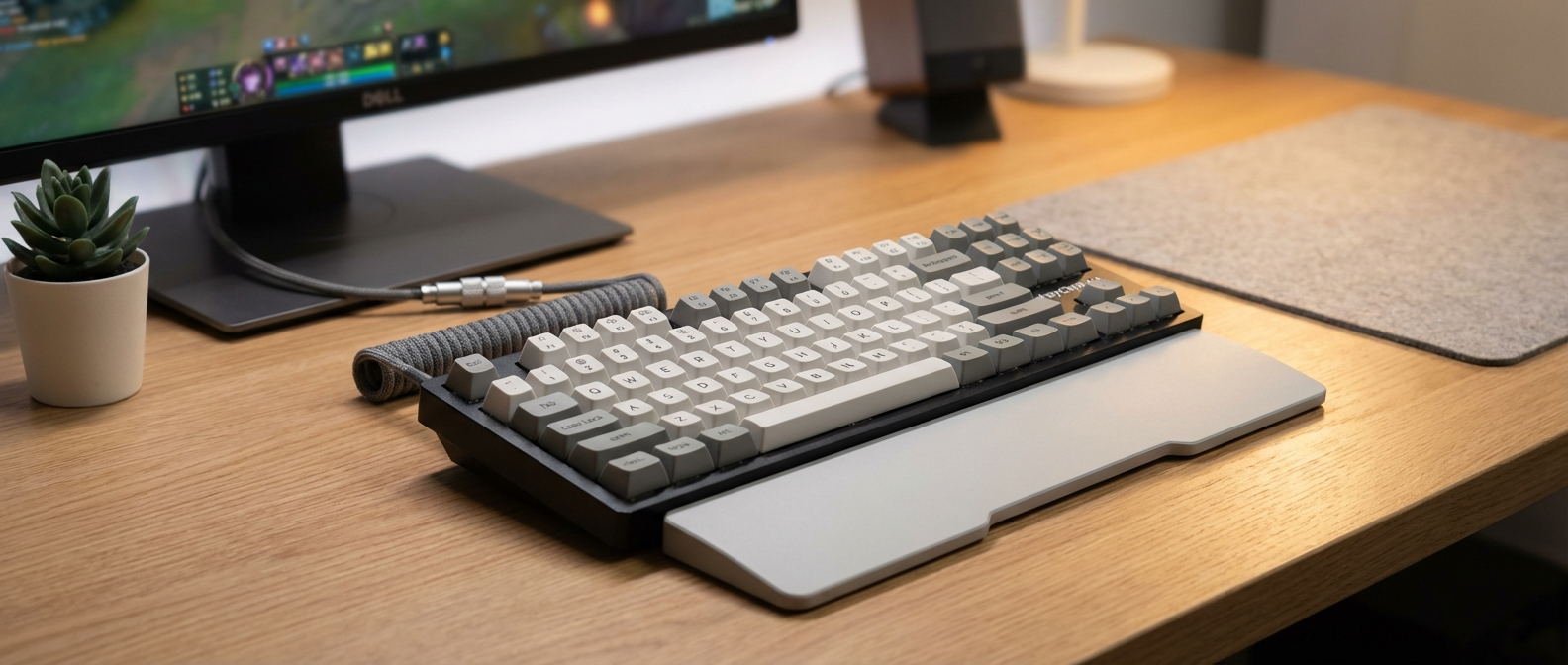
I needed a new keyboard, and my bank account laughed. So, time for another budget experiment: finding the best budget mechanical keyboard for gaming I could without selling a kidney. Turns out, there are some surprisingly decent options.
Okay, But Why Mechanical?
Look, I get it. Membrane keyboards are cheap. They’re fine for typing emails. But for gaming? Nah. Mechanical keyboards just feel better. The tactile feedback helps with accuracy, especially in fast-paced games. Plus, they last longer. My old membrane keyboard started getting mushy after like a year. I’m hoping one of these budget models can hold up for at least two.
I specifically looked for keyboards under $60. I know, that’s pushing it for mechanical. But I found two that seemed promising: the Redragon K552-RGB and the Gamakay MK61. I also briefly considered the HK Gaming GK61, but it was consistently a few dollars over my budget, plus shipping, so I passed. Maybe I’ll grab one next time around.

The Contenders
So, the Redragon K552-RGB and the Gamakay MK61. One’s a tank, the other’s more like a cute little go-kart. Here’s a quick rundown before we dive deeper:
| Feature | Redragon K552-RGB | Gamakay MK61 |
|---|---|---|
| Price (USD) | $34.99 | $47.82 |
| Switches | Redragon (Outemu) Red | Gateron Optical Yellow |
| Form Factor | Tenkeyless (TKL) | 60% |
| Keycaps | ABS Double-shot | ABS Double-shot |
| RGB | Yes (preset modes) | Yes (customizable) |
| Connectivity | Wired (USB) | Wired (USB) |
| Hot-Swappable | No | Yes |
| Verdict | Best for tight budgets, durability | Best for customization, small footprint |
Round 1: Initial Impressions
The Redragon K552-RGB feels like it could survive a nuclear apocalypse. Seriously, this thing is built like a brick. It’s got a metal plate under the keys, which adds a lot of weight. It doesn’t feel cheap at all, which is surprising for the price. The RGB is… fine. It’s not super customizable. You basically get a few preset modes that cycle through colors. But hey, it lights up, so that’s a win, right?
The Gamakay MK61 is a different beast. It’s much smaller, thanks to the 60% layout (no number pad, no function keys). It feels a bit more plasticky than the Redragon, but not in a bad way. It’s light and portable. The RGB is way more impressive. You can customize it with software, change individual key colors, and create cool effects. The hot-swappable switches are a big plus too. If you don’t like the stock Gateron Optical Yellows, you can easily swap them out for something else without soldering.
My cat, Mr. Fluffernutter, immediately took a liking to the Gamakay MK61. He kept trying to sit on it, which is annoying when you’re trying to type. He’s never shown any interest in keyboards before. Maybe he appreciates the small size.
Gaming Performance: Can These Things Actually Compete?
This is where it matters, right? I spent a few weeks playing different games with both keyboards: Counter-Strike 2, Apex Legends, Cyberpunk 2077, and Stardew Valley. You know, a healthy mix of shooting, looting, and farming.
Redragon K552-RGB: The Redragon K552-RGB performed surprisingly well in CS2 and Apex. The Red switches are linear, meaning they don’t have a tactile bump. They’re fast and responsive, which is important for those split-second decisions. I didn’t notice any input lag. The tenkeyless design gives you more room for your mouse, which is always a good thing. The only downside is the keycaps. They’re made of ABS plastic, which can get a bit slippery after a long gaming session. My fingers started sticking after about 3 hours of non-stop Apex.
Gamakay MK61: The Gamakay MK61 also held its own. The Gateron Optical Yellow switches are even lighter than the Red switches on the Redragon. They require very little force to actuate, which can be a good or a bad thing depending on your preference. I found them a bit too sensitive at first. I kept accidentally pressing keys. But after a few days, I got used to them. The 60% layout takes some getting used to. You have to use function keys to access things like the arrow keys and volume controls. But once you memorize the shortcuts, it’s not a big deal. The small size is actually an advantage in some situations. It frees up a lot of desk space. I even took it with me to a LAN party (yes, those still exist) and it was super easy to transport.
For Cyberpunk 2077, both keyboards were fine. It’s not a super competitive game, so the keyboard doesn’t make as much of a difference. But for Stardew Valley, I preferred the Redragon K552-RGB. The larger size and more traditional layout made it easier to navigate the menus and manage my farm. The Gamakay MK61 felt a bit cramped for that type of game.
Typing Experience: Work and Play
Let’s be real, most of us don’t just use our keyboards for gaming. We also use them for work, school, or just browsing the internet. So, how do these two keyboards stack up in terms of typing experience?
Redragon K552-RGB: The Redragon K552-RGB is a decent typing keyboard. The keys have a good amount of travel, and the tactile feedback is satisfying. But the ABS keycaps are a bit of a letdown. They feel cheap and slippery. I would definitely recommend upgrading them to PBT keycaps if you plan on doing a lot of typing. I averaged about 65 words per minute on a typing test with the Redragon. Not bad, but not great either.
Gamakay MK61: The Gamakay MK61 is surprisingly good for typing. The Gateron Optical Yellow switches are very smooth and responsive. They don’t have a tactile bump, but they’re still enjoyable to type on. The 60% layout takes some getting used to. You have to use function keys for a lot of things. But once you get the hang of it, it’s not a big deal. I actually found myself typing faster on the Gamakay than on the Redragon. I averaged about 72 words per minute on a typing test. The only real downside is the lack of dedicated arrow keys. It can be annoying when you’re editing documents or navigating web pages. I ended up remapping some keys to act as arrow keys when I’m not gaming. That helped a lot.
Customization: How Far Can You Go?
This is where the Gamakay MK61 really shines. The hot-swappable switches are a game-changer. You can easily swap out the stock Gateron Optical Yellows for any other optical switch you want. There are tons of options available online. You can experiment with different switch types to find the perfect feel for your typing style. The RGB is also highly customizable. You can use the included software to create your own lighting effects, change individual key colors, and sync the lighting with your games. The Redragon K552-RGB is much more limited in terms of customization. You can’t swap out the switches without soldering, and the RGB is only adjustable through a few preset modes.
One unexpected issue I ran into with the Gamakay MK61 was the keycap compatibility. Because it’s a 60% layout, it uses a non-standard bottom row. This means that some keycap sets won’t fit properly. I tried to install a set of PBT keycaps that I had lying around, but the spacebar was too long. I had to order a different set specifically designed for 60% keyboards.
RGB Showdown: Flashy or Functional?
Let’s talk about lights. The Redragon K552-RGB has RGB, but it’s pretty basic. You get a few preset modes that cycle through colors, and you can adjust the brightness. But that’s about it. You can’t customize individual key colors or create your own lighting effects. It’s functional, but not flashy.
The Gamakay MK61, on the other hand, is a full-blown RGB party. You can customize every single key with its own color, create dynamic lighting effects, and even sync the lighting with your games. The included software is easy to use, and there are tons of tutorials online. If you’re into RGB, the Gamakay MK61 is the way to go. I spent way too much time playing around with the lighting effects. My girlfriend thinks I’m obsessed.
The Winner Is…
Okay, time for the verdict. Which budget mechanical keyboard for gaming is the best? It depends on what you’re looking for.
For the absolute tightest budget: The Redragon K552-RGB is hard to beat. It’s a solid, durable keyboard that performs well in games. It’s not the most customizable, but it gets the job done. I think I’d pick this for a kid who needs something that can take a beating. The metal plate really does make a difference.
For the customization fanatic: The Gamakay MK61 is the clear winner. The hot-swappable switches and customizable RGB give you endless possibilities. It’s also surprisingly good for typing, despite the 60% layout. This would be my choice if you like to tinker and experiment.
For portability: The Gamakay MK61 wins again. Its small size makes it easy to take with you on the go.
For the most “normal” experience: The Redragon K552-RGB offers a more traditional keyboard layout with the convenience of dedicated arrow keys and a function row. It’s simpler to adapt to if you’re coming from a full-sized keyboard.
Alternatives worth considering:
- Tecware Phantom: Often recommended, but usually a bit pricier than these two. Keep an eye out for sales.
- RK Royal Kludge RK61: Another popular 60% option. I haven’t personally tested it, but I’ve heard good things.
- Aula F75: I saw this one on sale for $39.99 last week, which would have made it a contender, but it’s back up to $60. It’s a full-sized keyboard with hot-swappable switches.
Final Thoughts
Honestly, both of these keyboards are a good value for the money. You’re getting a mechanical keyboard for under $50. That’s pretty amazing. Just don’t expect them to be perfect. The keycaps are cheap, the RGB isn’t the best, and the switches aren’t as smooth as more expensive options. But for budget gaming, they’re totally acceptable.
Before you buy, really think about the form factor. The 60% layout isn’t for everyone, and it took me some time to get used to it. If you rely heavily on the number pad or function keys, you might want to stick with a tenkeyless or full-sized keyboard. The Gamakay MK61 is probably the “better” keyboard overall, but only if you’re willing to put in the time to learn the shortcuts and customize it to your liking.
One last thing: don’t forget to clean your keyboard. I spilled coffee on my Redragon K552-RGB last week, and now the “W” key is a little sticky. Learn from my mistakes.