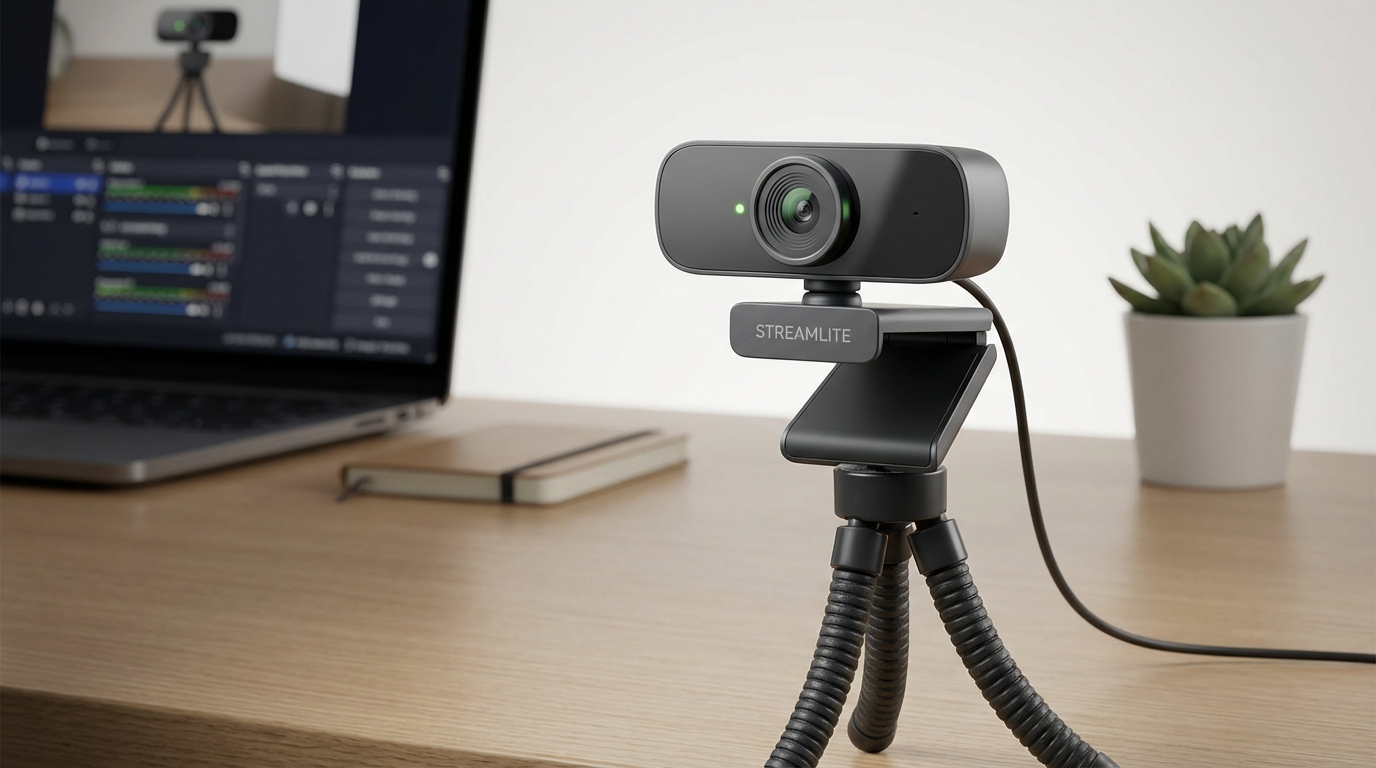
Want to stream without looking like you’re broadcasting from inside a potato? You don’t need to empty your wallet. I’ve spent the last few weeks testing a bunch of super-cheap webcams to find the gems that are actually worth buying.
My Top Pick: Vitade HD960A – Surprisingly Solid for Under $30
Okay, let’s be real. When I ordered the Vitade HD960A (currently around $27.99 on Amazon), I was expecting grainy, laggy footage. I was pleasantly surprised. For a budget webcam for streaming, it delivers a picture that’s shockingly decent. The colors are pretty accurate (a little on the warm side, but not offensively so), and the 1080p resolution is sharp enough for Twitch, YouTube, or Zoom calls. I even used it for a quick Discord stream of me playing Elden Ring, and my friends said I looked clearer than usual (that says more about my usual webcam than the Vitade, probably!).
Here’s the thing: it’s not perfect. The low-light performance isn’t stellar. If you’re in a dimly lit room, expect some noise and graininess. You’ll want a decent desk lamp. Also, the built-in microphone is… usable, but not great. It’s fine for basic communication, but if you’re serious about streaming, you’ll absolutely want a separate microphone. I paired it with my FIFINE K669B (another budget champion), and the audio quality was a huge improvement. But for the price, the Vitade HD960A punches way above its weight class.
The build quality also surprised me. It feels reasonably solid, not like it’s going to fall apart if you look at it wrong. The included mount is easy to use, and I was able to clip it securely to both my monitor and my laptop screen. It even has a privacy shutter, which is a nice touch for peace of mind (I’m always paranoid about being spied on through my webcam, even though I’m sure nobody wants to watch me eat cereal).
Compared to the Competition: Vitade HD960A vs. Logitech C270
The Logitech C270 has long been the go-to recommendation for budget webcams for streaming. It’s a safe bet, but it’s also starting to show its age. Here’s how the Vitade HD960A stacks up:
- Resolution: Vitade (1080p) wins. C270 is only 720p.
- Image Quality: Vitade is noticeably sharper and has better color accuracy.
- Microphone: C270 is slightly better, but still not good enough for serious streaming.
- Price: They’re often similarly priced (around $25-$35), but the Vitade often goes on sale for less.
Honestly, unless you absolutely need the Logitech name, the Vitade HD960A is the better choice. It’s just a straight upgrade in image quality.
Avoid These: The Absolute Bottom of the Barrel
I also tested a few webcams that were… let’s just say, not good. I won’t name specific brands (I don’t want to be sued!), but I’ll describe the common problems I encountered. Be wary of webcams that:
- Claim to be 1080p but look like they’re running at 480p.
- Have terrible color distortion – everything looks either overly saturated or completely washed out.
- Have severe lag and frame rate issues, making your video look like a slideshow.
- Feel incredibly cheap and flimsy.
- Have a microphone that sounds like you’re talking through a tin can.
These webcams might be tempting because they’re dirt cheap (sometimes under $15!), but they’re ultimately a waste of money. You’re better off saving up a few extra dollars and getting something that actually works.
Setting it Up: Tips for Getting the Best Picture Quality
Even the best budget webcam for streaming won’t look its best if you don’t set it up properly. Here are a few tips:
- Lighting is key. Make sure you have adequate lighting in your room. A good desk lamp or ring light can make a huge difference. Experiment with different angles and intensities to find what looks best.
- Adjust the webcam settings. Most webcams come with software that allows you to adjust the brightness, contrast, saturation, and sharpness. Play around with these settings until you find a picture that you like.
- Use a clean background. A cluttered background can be distracting. Try to find a clean and simple background for your streams. Even just a plain wall is better than a pile of laundry.
- Consider your placement. Position the webcam so that it’s at eye level. This will make you look more engaged and natural.
Now, remember that even with good lighting and proper settings, you’re still using a budget webcam. Don’t expect it to look like a professional broadcast. But with a little effort, you can definitely get a clear and presentable picture.
Long-Term Considerations: When to Upgrade
A budget webcam for streaming is a great starting point, but eventually, you might want to upgrade to something more advanced. Here are a few signs that it’s time to invest in a better webcam:
- You’re serious about streaming and want to improve your production quality.
- You need better low-light performance.
- You want a webcam with advanced features like autofocus or background removal.
- You’re tired of fiddling with settings and want something that “just works.”
When you’re ready to upgrade, consider webcams like the Logitech Brio or the Razer Kiyo Pro. They’re significantly more expensive, but they offer a noticeable improvement in image quality and features. But if you’re just starting out, a budget webcam like the Vitade HD960A is a perfectly reasonable option.
One final thought: don’t get too hung up on having the absolute best webcam. Viewers are generally more interested in your content than in the technical specifications of your camera. Focus on creating engaging and entertaining streams, and your audience won’t mind if your webcam isn’t top-of-the-line.
Ultimately, if you need a decent webcam without demolishing your bank account, the Vitade HD960A is my recommendation. Spend the money you save on a good microphone!